Adding, Deleting, and Assigning icons to Reference Information URL'S
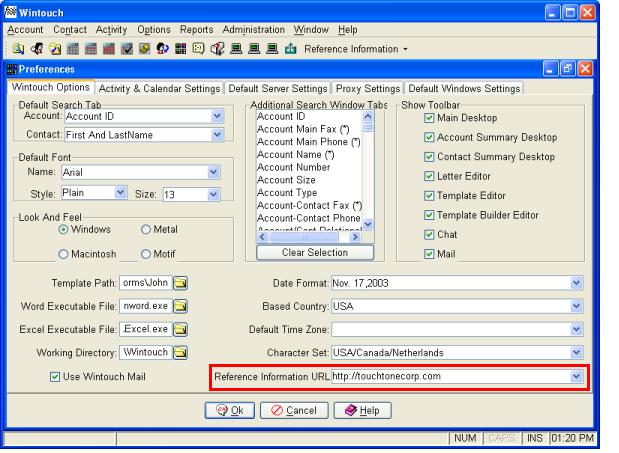
Add a Reference URL
- Left click on the field to the right of "Reference Information URL".
- Right-click on the "Reference Information URL" field.
- Left-click on "Add".
- Verify that the URL appears in the drop-down menu.
- Restart Wintouch
Delete a Reference URL
- Select the URL you would like deleted from the drop-down menu.
- Right-click on the "Reference Information URL" field.
- Left-click on "Delete".
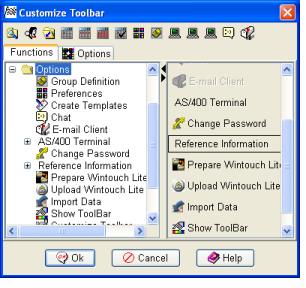
Add a Reference URL to the Toolbar and Assign an icon to a Reference URL
- Click on Options then "Customize Toolbar" from the Main Menubar.
- Expand the Options Folder
- Left-Click and drag Reference Information up to where the other icons are in the Customize Toolbar Window.
- Click Ok.